Best AI Tools to Optimize Your Airbnb Listing Photos, Descriptions & Search Visibility
No single tool covers photos, copy and search visibility. PriceLabs' Listing Optimizer audits titles, descriptions and amenities, Rankbreeze tracks search position and funnel metrics, Airbnb's own photo tour organises images by room, and a dedicated photo-enhancement product handles the pictures themselves. Pick by the weakest part of your listing.
By Best BNB Tools Editorial · Published October 19, 2026 · Updated October 19, 2026 · 11 min read
Facts last verified October 19, 2026. Evaluated from official documentation and public sources; not hands-on tested.
Key takeaways
- Diagnose first. Titles and descriptions, photos and search position are different problems that need different tools.
- PriceLabs Listing Optimizer grades listings A to D and recommends changes to titles, descriptions and amenities. It lists a tiered per-listing monthly price starting at $12.99.
- Rankbreeze focuses on tracking search position and booking-funnel metrics, from $9 per property per month on monthly billing.
- Airbnb's built-in photo tour is free and sorts uploaded photos into rooms; it does not improve the photos themselves.
- None of these vendors can promise higher rankings. We found no independent evidence to quote, so we do not.
Quick recommendations
Best for auditing copy and amenities
Listing Optimizer grades the listing and recommends changes to titles, descriptions and amenities.
Best for tracking search position
Daily ranking and funnel tracking plus A/B testing at a low per-property price.
Best for the photos themselves
Photo enhancement built for short-term rentals, with a free first-photo trial.
If you want one answer: use PriceLabs' Listing Optimizer to audit your copy and amenities, Rankbreeze if you want to track where your listing appears and where guests drop off, Airbnb's free photo tour to organise images, and a dedicated photo-enhancement product if the pictures are the weak link. There is no single tool that does all of it. This roundup is based on vendor documentation and pricing pages as of October 2026; we have not run these products on live listings.
What "optimisation" actually covers
Three separate things get lumped together.
- Content: your title, description, amenity list and house rules.
- Photos: quality, order and coverage of rooms.
- Visibility: where you appear in search and how many views become bookings.
Airbnb does not publish how it ranks listings, so any vendor that promises a specific ranking result is making a claim you cannot check. We treat these tools as audit and measurement aids, not guarantees.
Start with a diagnosis, not a purchase
Because the three problems need different tools, match the symptom to the fix before you spend anything. This table is our editorial framework, not a vendor claim.
| What you notice | Likely area | First thing to try |
|---|---|---|
| People view the listing but rarely book | Photos, price or description | Compare your photos and price with nearby listings; run a content audit |
| Few people view the listing at all | Visibility or availability | Check calendar openness, first photo, title; consider rank tracking |
| Guests say it differs from the photos | Accuracy | Update photos and description; do not enhance further |
| Photos are dark or window views are blown out | Image quality | Reshoot with better light or use an enhancement service |
| Reviews mention a missing amenity | Content | Fix the amenity list and description |
You will not be able to tell which row applies without some numbers. Airbnb's own host dashboard shows performance data for your listing; if you add a tracking tool, note the baseline before you change anything.
Comparison table
| Tool | Focus | Price (Oct 2026) | Best for |
|---|---|---|---|
| PriceLabs Listing Optimizer | Content audit, A to D grade, amenity gaps | $12.99 for the first listing, $10.99 each for 2 to 5, then lower tiers | Hosts who want a prioritised to-do list |
| Rankbreeze | Rank tracking, funnel, A/B tests, descriptions | From $9 per property per month (monthly billing) | Hosts who want to measure changes |
| Airbnb photo tour | Photo organisation by room | Free | Everyone on Airbnb |
| Jurny Listing Optimizer | Title, description, photos, amenities | Not published (demo) | Jurny customers |
| Photo enhancement | The images | See vendor | Hosts with weak lighting or dark rooms |
PriceLabs Listing Optimizer
PriceLabs' help center says the Listing Optimizer evaluates listing content, images, guest-experience factors and amenities, assigns a quality grade from A to D, and compares the listing with nearby top performers. You start with an Airbnb host ID or listing URL, and the tool retrieves the data automatically. The recommendations are described as AI-driven and cover titles, descriptions and photo presentation. The documentation also describes portfolio-level insights and ranking-visibility tracking over time, and says the tool is designed for Airbnb.
Pricing
Per PriceLabs' billing article, as of October 2026, the monthly price per listing is tiered: $12.99 for the first listing, $10.99 each for listings 2 to 5, $8.99 for 6 to 15, $7.99 for 16 to 25, $5.99 for 26 to 50, then $4.99, $4.49 and $3.99 at larger sizes. It includes monthly re-analysis, weekly and monthly email reports, historical trends and four additional re-runs per billing cycle. It auto-renews, and the article says access expires 30 days from the original subscription start date even if you toggle it off earlier. We found no trial mentioned in the documentation. One third-party article describes it as a one-time tool rather than a subscription, which conflicts with PriceLabs' own billing page; check the checkout screen.
Setup and limits
Setup is light: you give PriceLabs a listing URL or host ID and it retrieves the data. Because it is designed for Airbnb, it is a poor fit if most of your income comes from Vrbo or Booking.com listings. Treat the A to D grade as a prioritised checklist, not a score you are trying to maximise. A grade rises when you act on recommendations; we found no evidence that a higher grade raises bookings.
Pros and cons
- Pros: cheap per listing, clear grade, data from your own market, a recurring check.
- Cons: Airbnb-focused, and it recommends rather than rewrites everything for you. The quality of advice cannot be independently verified.
Rankbreeze
Rankbreeze's site describes tools to monitor daily search position by guest count, analyse the booking funnel, run A/B tests, monitor listing changes, analyse photos and amenities, and generate AI-powered descriptions. It also lists a pricing engine and market data.
Per its pricing page, plans start with a 14-day trial for $1 and a 30-day money-back guarantee. On monthly billing, listed prices are $9.00 per property for 1 to 4 properties, $6.00 for 5 to 49, $4.95 for 50 to 99 and $4.50 for 100 or more, with a 15% discount for yearly billing. The site claims more than 1,500 active users; we could not verify that and do not rely on it.
What else the plan includes
The pricing page we read lists one Pro plan with the same features at every size, with price falling as property count rises. Features named there include search rankings, the booking funnel, an A/B tester, a listing writer, dynamic pricing rules and market reports. The vendor lists a 14-day trial for $1 and a 30-day money-back guarantee. Before you buy, ask what the A/B tester actually changes in your listing, how long a test needs to run before the result means anything, and whether any rank figure reflects a search with the same dates and guest count as the ones your guests use.
Who should skip it
Rankbreeze makes the most sense if you are willing to make and test changes. If you will not touch the listing after reading a report, a one-time audit is probably enough. We did not verify its integrations or the accuracy of its rank readings, so treat the position data as one input.
Pros and cons
- Pros: low entry cost, measurement rather than guesswork, A/B testing.
- Cons: tracking position does not change it, and the pricing module is secondary to the visibility tools; compare it with the dedicated pricing tools in our comparison of PriceLabs, Wheelhouse and Beyond before using it for rates.
Airbnb's own photo tour
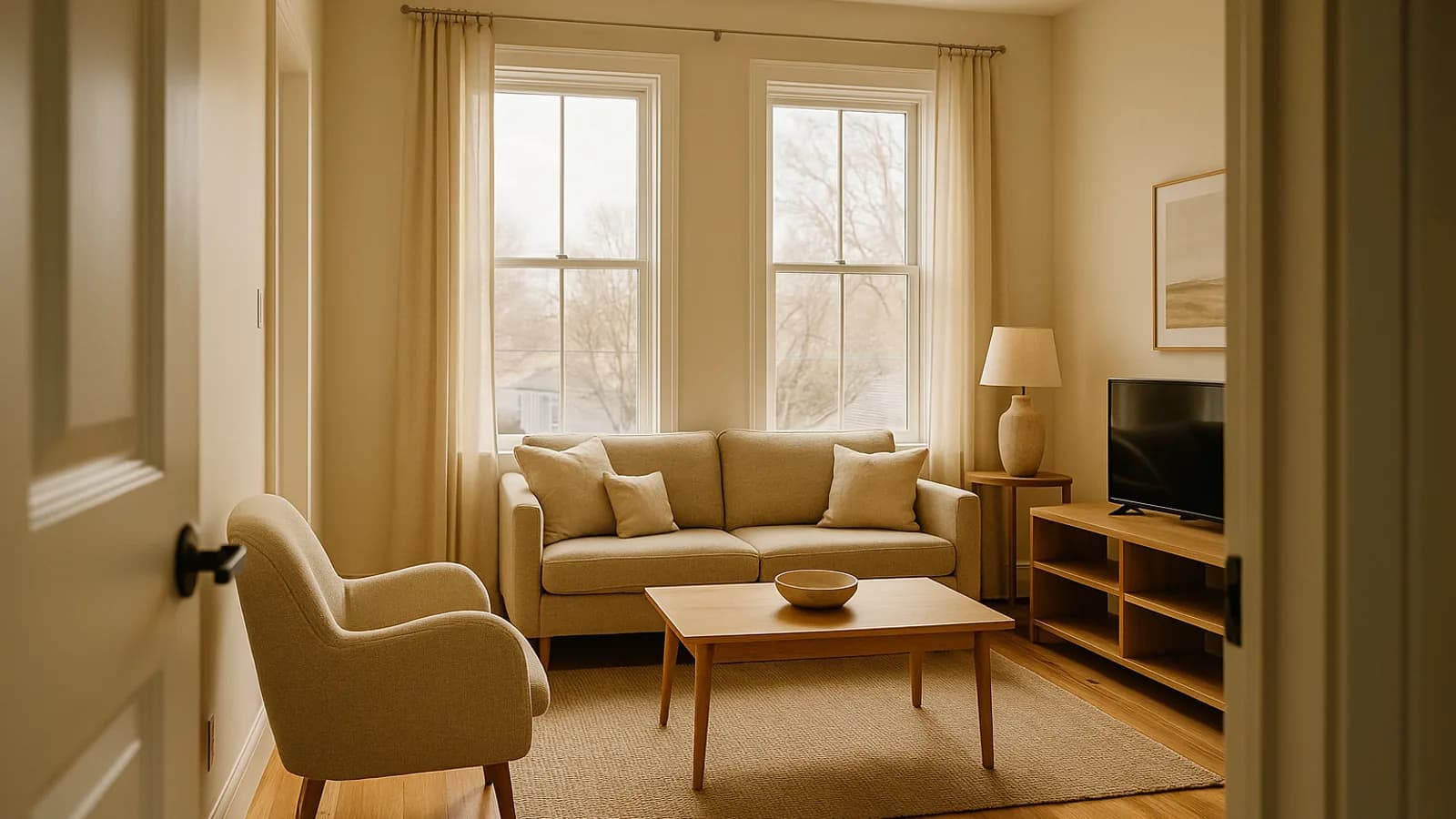
Airbnb's help center describes a photo tour as a curated, room-by-room set of images. Airbnb's artificial intelligence sorts uploaded photos into rooms, and you can add, remove and reorder them. The article advises at least one photo per space, says the first five photos appear prominently in search results, and states a minimum resolution of 1024 x 683 pixels. It is free and the first thing to do before paying for anything else.
Photo audit: a free first pass
Before you pay for anything, scroll your own listing as a guest would on a phone.
- Does the first photo show the best room, in good light? Airbnb says the first five photos are most prominent in search, and the first appears as a large thumbnail.
- Is every space represented with at least one photo? Airbnb's photo tour needs at least one photo for a room to appear in it.
- Do the files meet the stated minimum of 1024 x 683 pixels? Smaller ones can look soft on large screens.
- Are windows blown out, or rooms visibly yellow or blue? Those are the cases where editing or enhancement helps most.
- Do the captions explain sleeping arrangements, accessibility features or amenities? Airbnb lets you add optional captions to each photo and edit or delete them at any time.
- Is anything in the pictures no longer true: old furniture, a removed hot tub, a different bed size?
- After you save changes, allow time: Airbnb says edits typically appear within 30 minutes.
If the answer to several of these is no, the cheapest improvement is free: reorder, caption and replace the worst frames.
Jurny Listing Optimizer
Jurny lists a Listing Optimizer that analyses titles, descriptions, photos and amenities and offers step-by-step improvements. It is an add-on inside the JurnyOS platform, not a standalone product, and pricing is only available by booking a demo. We include it for completeness; it makes most sense if you already use or are evaluating Jurny.
Photos: the part software audits cannot fix
An audit can tell you that your photos are dark or that a room is missing. It cannot reshoot the room. For the pictures themselves you have three choices: reshoot, edit them, or use an enhancement product.
One option is BNB Boost Airbnb photo enhancement, a photo enhancement service built for short-term rentals. Its site describes improved light quality and window detail, clutter and staging adjustments that keep furniture and layout unchanged, plus tools for relighting, adding people and rephotographing, and a drone tool on its Host Pro plan. It offers a free first-photo trial and a 30-day money-back guarantee. We present it as one option and make no claim that it increases bookings or rankings. Check its pricing page for current plans.
Whichever route you choose, keep the images honest: show the property as guests will find it.
Descriptions: a chatbot can help, with a caveat
General assistants such as ChatGPT or Claude can draft a title and description from facts you provide. Give them accurate amenity and house-rule details and check the output line by line. The main risk is invented features. Dedicated tools differ by adding benchmarking against nearby listings, which a chatbot does not have unless you provide it.
Writing descriptions with a chatbot, step by step
Used carefully, ChatGPT or Claude can save an hour. The safe way is to give the chatbot facts and ask it to organise them, not to supply the facts itself.
- Write a fact sheet first. List bedrooms, beds, bathrooms, maximum guests, parking, Wi-Fi, kitchen items, noise and neighbour notes, walking distances you have checked, and house rules.
- Paste the fact sheet and ask for three title options and a draft description that uses only those facts. Tell it not to add amenities.
- Read every sentence against the property. Delete any claim you cannot demonstrate on arrival, such as "steps from the beach" when it is a ten-minute walk.
- Put guest-relevant limits in plainly. Stairs, a shared driveway or a steep path are better stated up front than discovered in a review.
- Check how it reads on a phone. The first lines carry the most weight because many guests will not expand the full text. We could not confirm Airbnb's current character limits from an official source, so check the listing editor for them.
- Change one element at a time and note the date, so you can compare views or bookings before and after.
Dedicated tools add one thing a general chatbot lacks: data about nearby listings. If you want that benchmarking, the audits above are the route; if you only need a clearer draft, a chatbot is enough. Our guide to whether ChatGPT or Claude can run your Airbnb covers where general assistants help and where they need supervision.
A simple workflow
- Baseline. Note your current views, conversion and rank, if a tool tracks them.
- Run an audit (PriceLabs Listing Optimizer or similar).
- Fix the biggest gaps first: photo order and coverage, missing amenities, an unclear title.
- Change one thing at a time where you can, so results are attributable.
- Re-check after a few weeks and keep what worked.
Questions to ask a vendor before buying
- Does the tool read my listing automatically, or do I paste data in? What happens when Airbnb changes its pages?
- Is the recommendation based on listings near me, and how is "nearby" defined?
- What does the fee cover: one analysis, monthly re-analysis, or unlimited re-runs? How do I cancel?
- Do you publish evidence that following recommendations changed bookings? Ask for the method, not a headline figure.
- For a photo service: is the original file kept, are layout and furniture unchanged, and can I try one photo first?
- For rank tracking: which guest counts, dates and locations does the reading assume?
If a vendor answers with a percentage uplift and no method, treat it as marketing.
Listing-honesty guardrails
Better listings do not mean flattering ones. Disputes and poor reviews often start with a gap between the page and the property.
- Keep what you show true to what a guest will find on arrival.
- Light, colour and tidiness adjustments are different from changing the room: do not alter furniture, space, views or condition.
- Re-photograph after a renovation or a layout change, and update the description the same day.
- Read Airbnb's current photo and listing guidelines yourself, because policy changes and we cannot guarantee any tool's output complies.
What still needs a human
- Taking or approving photos that represent the property accurately.
- Writing in a voice that fits the property.
- Deciding which amenities to highlight.
- Judging whether a recommendation is right for your guests.
Common mistakes
- Paying for several overlapping tools.
- Changing the title, photos and price in the same week, then not knowing what moved the numbers.
- Pasting generated text without checking it.
- Treating a tool's grade as a ranking.
- Skipping the free photo tour.
Once your listing is in shape, pricing is the next lever; see our guide to automated pricing and revenue management roundup. For the wider stack, see our automation overview.
Our read
We would run a PriceLabs audit if you already have a PriceLabs account, add Rankbreeze only if you want to measure changes over time, and spend any real money on the photographs. That is editorial judgment from documentation, not a test result.

Frequently asked questions
›Which tool improves Airbnb search ranking?
None can guarantee it. Airbnb does not publish its ranking formula. These tools audit your listing, suggest changes or measure position, but ranking depends on Airbnb's own signals, including reviews, pricing and availability.
›Can I just use ChatGPT or Claude to write my description?
Yes, they can draft titles and descriptions, and many hosts do. You still need to check every claim against your property, because a general chatbot can invent amenities. Dedicated tools add listing data and benchmarking against nearby listings.
›Is it worth paying for a listing audit?
It can be, if your listing has gaps you cannot see yourself, such as missing amenities or weak photos. The cost of PriceLabs' Listing Optimizer is a few dollars per listing per month, so a single audit is a modest test. Judge by whether you implement the changes.
›How many photos should my listing have, and in what order?
Airbnb's help article says the first five photos appear prominently in search results and that every space should be represented with at least one photo. Use the photo tour to order them. Photos should meet a minimum resolution of 1024 x 683 pixels.
›Does photo enhancement break Airbnb's rules?
Photos should show the property as guests will find it. Enhancing light and colour is different from adding or removing things guests will not see. Read Airbnb's current photo guidelines and keep furniture, layout and condition accurate.
Sources and references
Facts verified October 19, 2026. Prices and features change; confirm with each vendor.
Verification notes
- PriceLabs Listing Optimizer is described elsewhere as a one-time tool; its own billing article describes a monthly subscription, which we followed.
- Jurny Listing Optimizer pricing is not published; it is an add-on within JurnyOS.
- Rankbreeze integrations were not verified.
- Airbnb's current character limits for listing titles and descriptions were not confirmed from an official source and are not stated.
- Rankbreeze feature list (A/B tester, Listing Writer, market reports) is from its pricing page; accuracy of rank readings was not verified.
- We could not find an independent study showing that any listing optimiser improves ranking or bookings.
Articles on this site are researched from official product documentation, pricing pages and reputable public sources. Unless an article explicitly says otherwise, products have not been hands-on tested. Individual author profiles will be added once named contributors are confirmed.
Related stories

7 Best Airbnb Revenue Management Tools for Hosts With 1–20 Properties
For most hosts with 1 to 20 properties, the shortlist is PriceLabs, Wheelhouse, Beyond and DPGO as standalone tools, Airbnb Smart Pricing as the free option, and Guesty PriceOptimizer or Lodgify Dynamic Pricing if you already run those platforms. Choose by portfolio size, channels and whether you prefer a flat or percentage fee.
By Best BNB Tools Editorial · Oct 19, 2026

How to Set Up Automated Airbnb Pricing Without Lowering Your Profits
Set a price floor from your real costs, choose a base price from your own booking history, pick one pricing source, and review the first few weeks of rates before trusting it. Automated pricing can lower profit when the limits are wrong, so the guardrails matter more than the algorithm.
By Best BNB Tools Editorial · Oct 19, 2026

Best Airbnb Dynamic Pricing Tools: PriceLabs vs. Wheelhouse vs. Beyond
PriceLabs gives you the most settings to tune, Wheelhouse pairs strategy presets with market data, and Beyond charges only a percentage of bookings and is the simplest to run. Which is best depends on how many listings you have and how much control you want, not on a single winner. All three list prices and trials publicly, so you can test before committing.
By Best BNB Tools Editorial · Oct 19, 2026
How to Automate Airbnb Upsells: Early Check-In, Late Checkout & Guest Extras
Automating upsells means offering early check-in, late checkout and extras at set moments, checking availability, collecting payment and updating your schedule without manual work. The hard part is Airbnb's payment rules: optional add-ons must be disclosed in the listing and collected through Airbnb's Resolution Center, so check how your tool handles Airbnb reservations before you switch it on.
By Best BNB Tools Editorial · Oct 19, 2026